Target Requests Mode
Important Information
- Currently during beta-testing, users are limited to 6 checkout tasks. This is to ensure good performance for all users while testing the current Shape bypass.
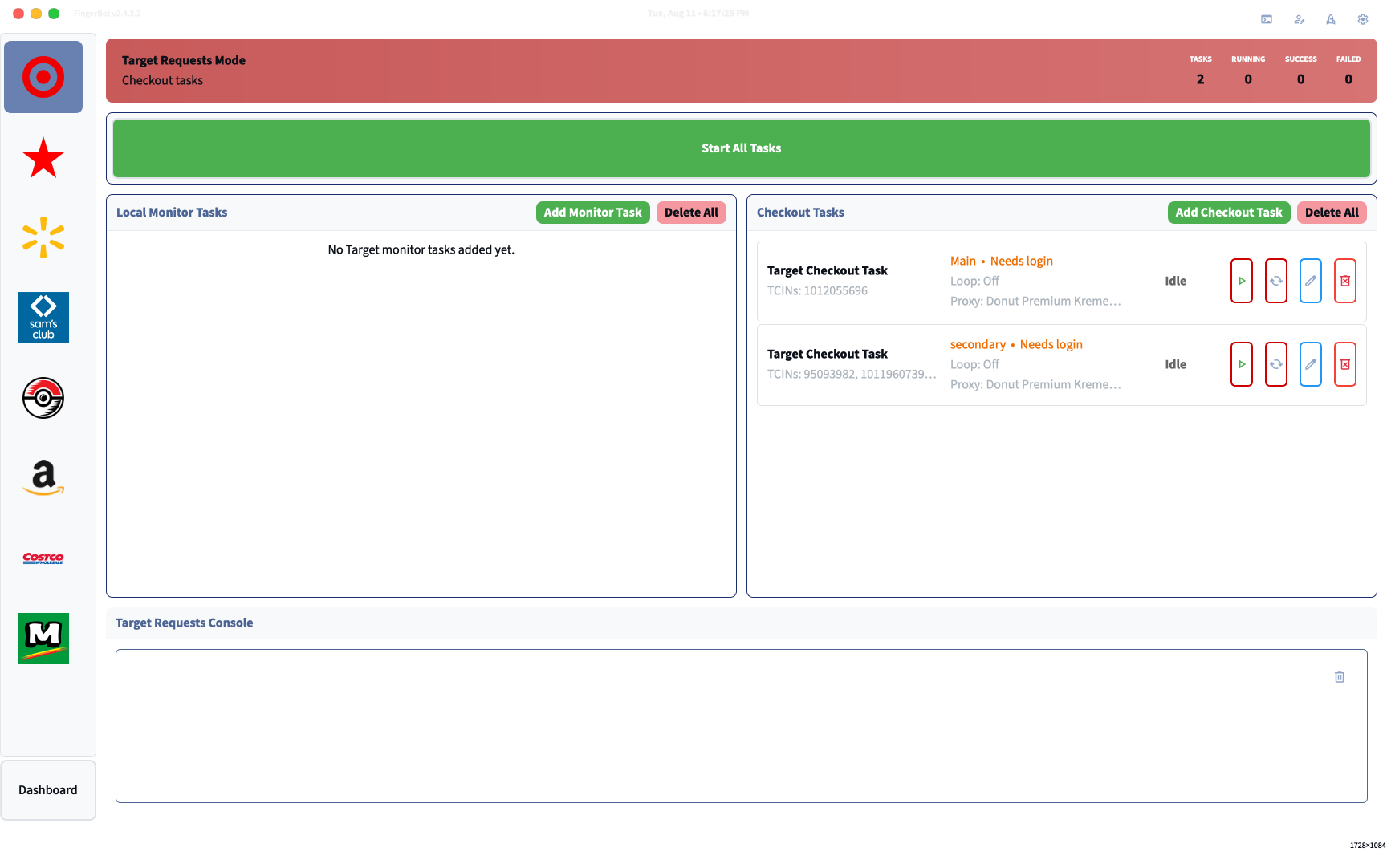
Requests-Based Setup
Before continuing, ensure that you’ve fully setup everything in Profiles Setup, Account Profiles, and Email Monitoring (required for 2FA codes during login).
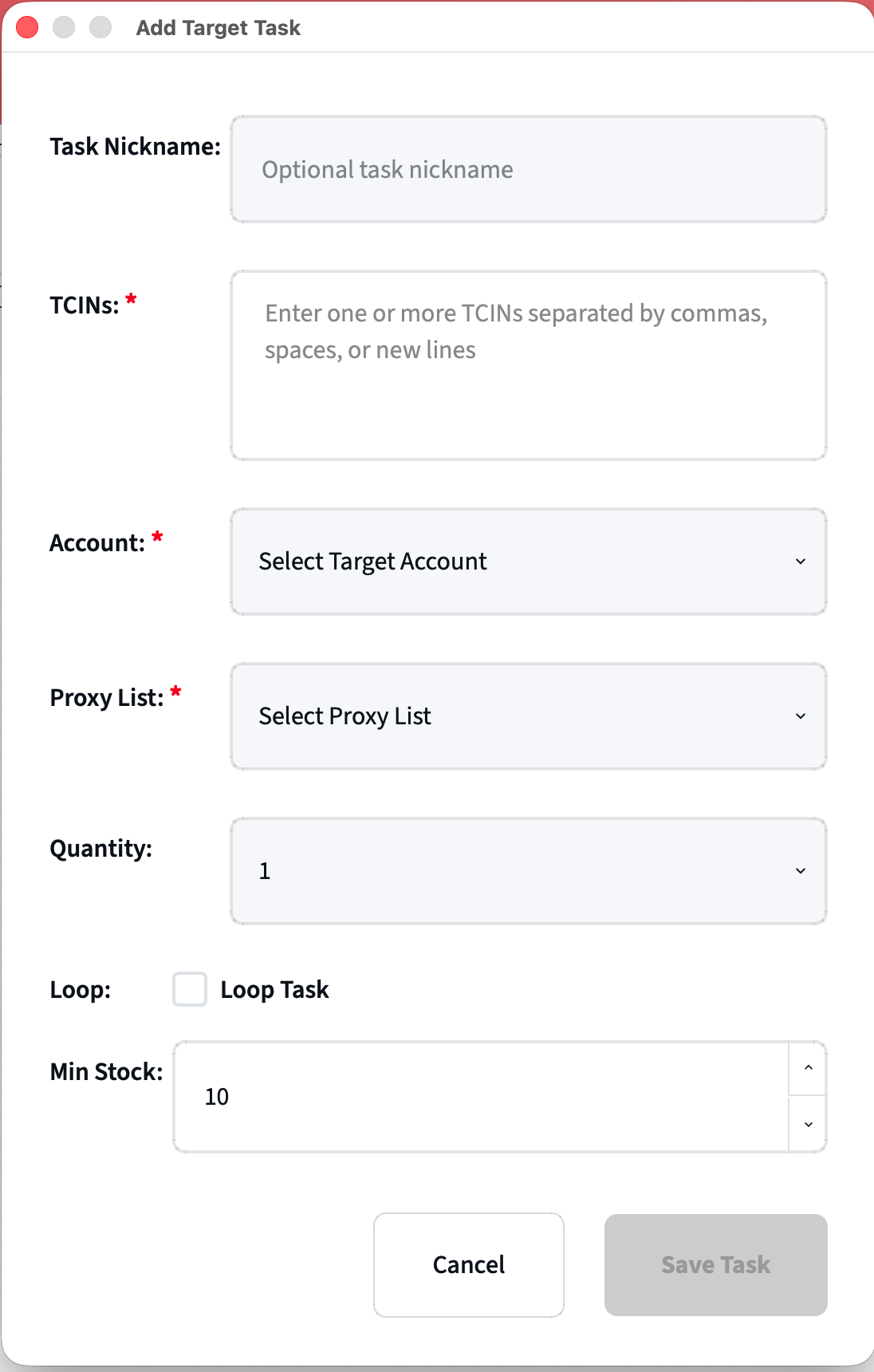
- TCIN(s) (REQUIRED)
- Target item SKU(s). Enter up to 5 TCINs to monitor for a single task.
- Account
- Set the task’s account to use
- Proxy List
- Set which proxy list you want
- Quantity
- Set the desired quantity for the entered item
- Loop Task
- Choose if this task should stay ON after successful checkouts.
- Min Stock
- Choose the minimum stock amount you want to attempt checkouts for. I recommend setting this to 10.
Multi-TCIN Monitoring
If you monitor more than one product in a single checkout task - the following settings are automatically handled for you:
- Quantity is automatically set to 2 for all multi-TCIN product monitoring with a max of 2 successful checkouts per account.
- Loop Task is automatically set to ON.
- Min Stock is automatically set to 10.
Target requests mode is still in BETA and may not behave properly. Please leave a bug report with your issue.
Troubleshooting
| Problem | Fix |
|---|---|
| OTP not received within timeout (300s) | Confirm your email monitoring account is set up in Profiles → Email Accounts and the App Password is valid. However this is a common problem when the site is overloaded or you have requested too many codes in a short period of time. |
| Checkout failing — no saved address | Log into Target.com and add a shipping address to your account |
| Checkout failing — no saved payment | Log into Target.com and add a payment card to your account |
| Shape Block | FingerBot will try and automatically recover from Shape blocks by rotating proxies but this is sometimes unavoidable. As a last resort you can try deleting the task and then re-adding it (forces re-login). |
| No personal Discord notification after success | Open Settings → Discord tab and confirm your webhook URLs are saved. Discord Webhooks |
Tips and Recommendations
- It’s recommend to login your tasks at least 15-20 minutes before the suspected drop in order to avoid high traffic.
FingerBot enforces a hard limit of 6 checkout tasks — the app will refuse to add a 7th. If you need a slot, delete a finished task first.